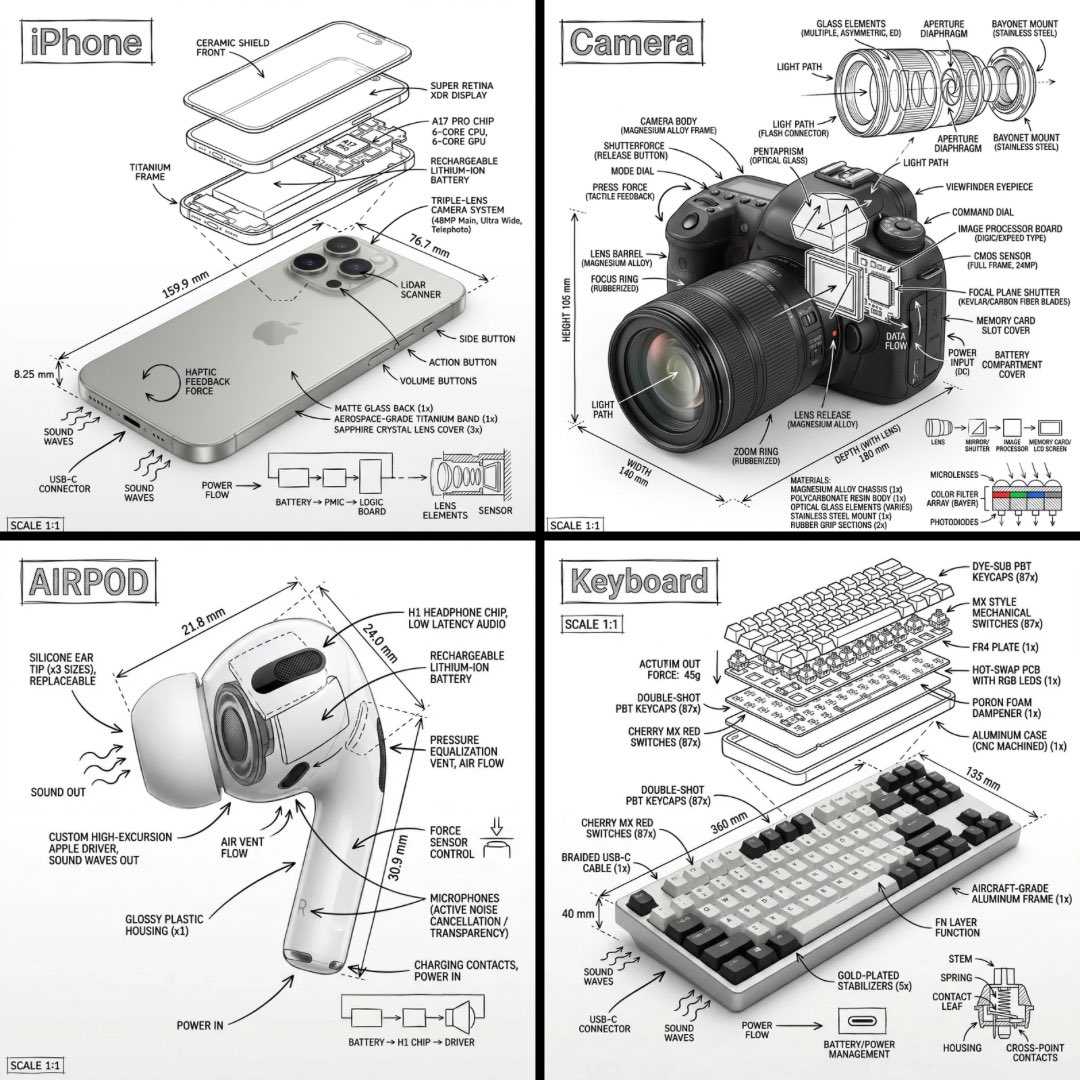
ナノバナナのインフォグラフィック
Just replace [OBJECT]:✨ “Create an infographic image of [OBJECT], combining a realistic photograph or photoreal render of the object with technical annotation overlays placed directly on top. Use black ink–style line drawings and text (technical pen / architectural sketch look) on a pure white studio background, including: •Key component labels •Internal cutaway or exploded-view outlines •Measurements, dimensions, and scale markers •Material callouts and quantities •Arrows indicating function, force, or flow (air, sound, power, pressure) •Simple schematic or sectional diagrams where relevant Place the title [OBJECT] inside a hand-drawn technical annotation box in one corner. Style & layout rules: •The real object remains clearly visible beneath the annotations •Annotations feel sketched, technical, and architectural •Clean composition with balanced negative space •Educational, museum-exhibit / engineering-manual vibe Visual style: Minimal technical illustration aesthetic, black linework over realistic imagery, precise but slightly hand-drawn feel. Color palette: White background, black annotation lines and text only. No colors. Output: 1080×1080, ultra-crisp, social-feed optimized, no watermark.”
【[OBJECT]を置き換えるだけで✨ 「[OBJECT]のインフォグラフィック画像を生成してください。オブジェクトのリアルな写真またはフォトリアルレンダリングと、その上に直接配置された技術的な注釈オーバーレイを組み合わせます。 純粋な白いスタジオの背景に、黒いインクスタイルの線画とテキスト(テクニカルペン/建築スケッチ風)を使用します。以下を含みます: •主要コンポーネントのラベル •内部のカットアウェイまたは分解図のアウトライン •測定値、寸法、スケールマーカー •素材の指定と数量 •機能、力、または流れ(空気、音、電力、圧力)を示す矢印 •関連する簡単な概略図または断面図 タイトル[OBJECT]を手描きの技術的な注釈ボックス内に、角のいずれかに配置します。 スタイルとレイアウトのルール: •注釈の下でも実際のオブジェクトがはっきりと見えるようにします •注釈はスケッチ風、技術的、建築的なものにします •クリーンな構成で、バランスの取れたネガティブスペースにします •教育的で、博物館の展示品/エンジニアリングマニュアルのような雰囲気にします ビジュアルスタイル: ミニマルなテクニカルイラストレーションの美学、リアルな画像の上に黒い線画、正確でありながらわずかに手描きの感触。 カラーパレット: 白い背景、黒い注釈線とテキストのみ。色は使用しません。 出力: 1080×1080、超シャープ、ソーシャルフィード最適化、ウォーターマークなし。」】